
Money, made clear
See the charges and spending changes worth reviewing.Then know what to do next.
Connect one US bank and ClarifiQ monitors your transactions, surfaces recurring-looking charges and meaningful shifts, and gives you a clear next move without a budget to maintain.
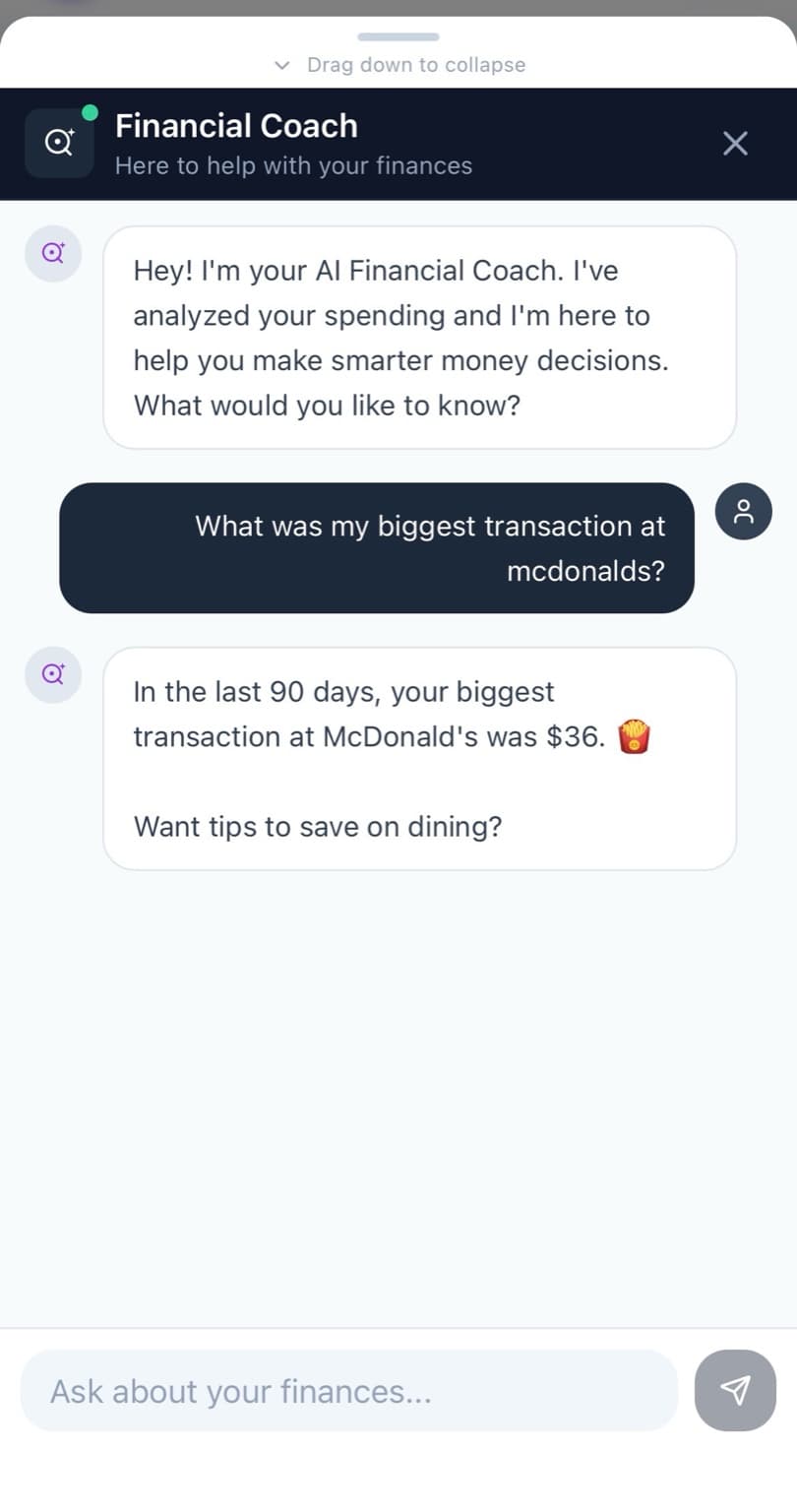
Financial Coach
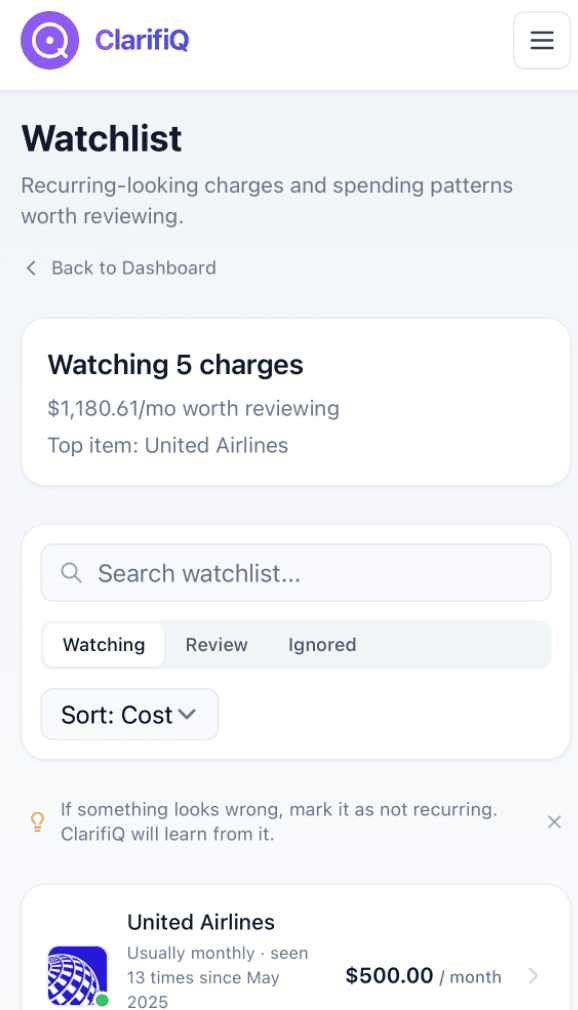
On your watchlist
United Airlines — seen 13 times since May.
Watch it · Understand it · Act on it
The shortest path from change to action.
ClarifiQ keeps an eye on the activity. You review what matters and decide what to do next.
Watch it
See what deserves a look.
Recurring-looking charges, repeat merchants, and meaningful spending changes move forward so you do not have to hunt through statements.
Understand it
Ask why it changed.
Ask the coach about a merchant, category, or recent change and get context from your own connected transaction data.
Act on it
One clear next move.
The dashboard turns the noise into a single suggested move — what to trim, where to redirect, what to keep an eye on.
What ClarifiQ watches
A spending monitor, not another budgeting ritual.
Dashboard, Watchlist, and Activity work together to show what changed, what repeated, and what may be worth acting on.
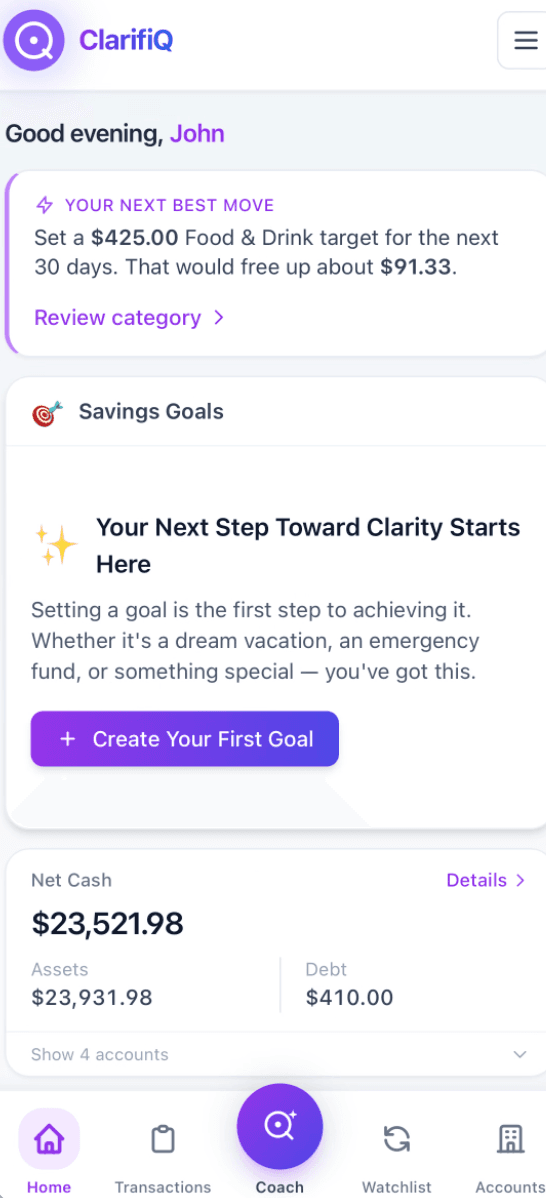
Dashboard
iPhoneOne screen, the only number that matters today.
Watchlist
iPhoneCharges, merchants, and patterns worth a second look.
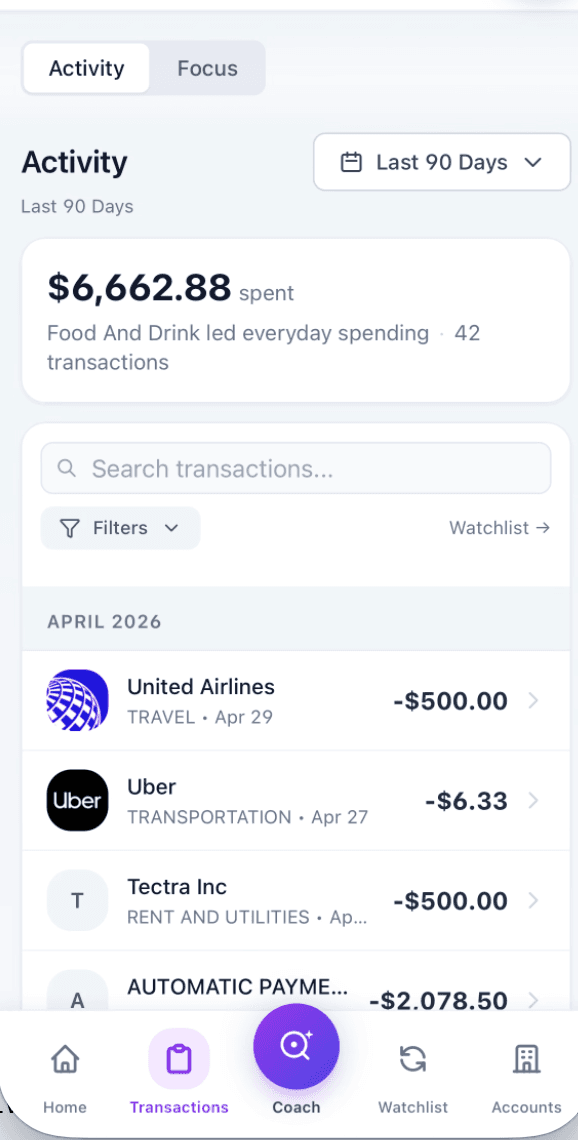
Activity
iPhone90 days of activity, ranked and ready to scan.
Catch meaningful changes
See where spending moved, which merchants repeated, and what deserves a closer look.
Review recurring charges
Bring recurring-looking charges into one Watchlist so you can decide what still belongs.
Take one clear next step
Turn the most important change into a practical next move instead of another chart to interpret.
It watches. You decide.
Built to bring the important changes forward.
ClarifiQ does the monitoring work in the background, then gives you a focused place to review what changed, understand why, and choose your next step. No category-tagging homework required.
A coach that knows your data — answers about specific merchants, weeks, or habits.
A Watchlist for what matters — recurring-looking charges, repeat merchants, and unusual changes worth reviewing.
A clear next-best-move on the dashboard — not twelve charts asking you to interpret them.
Next best move
Trim Food & Drink by $91 to free this month.
Pricing
Cancel anytimeStart with a 7-day free trial, then $7.99/month. One simple plan with everything included.
Already have an account? Sign in
Strong enough for serious money conversations.
Read-only by design
ClarifiQ analyzes your data. It cannot move money or change your accounts.
Bank link via Plaid
Bank connections are handled by Plaid. ClarifiQ does not store your bank login credentials.
You stay in control
Disconnect a bank or cancel your plan from settings whenever you want.
Common questions
Enough detail to trust it.
How does the free trial work?+
Every subscription starts with a 7-day free trial, then $7.99/month. During the trial you can connect 1 bank account; after the trial you can connect up to 5. Cancel before the trial ends and you will not be charged.
Is my bank supported?+
ClarifiQ is currently available for supported US financial institutions through Plaid. Availability varies by institution and account type.
Can ClarifiQ move my money?+
No. Bank connections are read-only. ClarifiQ can analyze balances and transactions, but it cannot transfer funds or make changes to your accounts.
What makes this different from a budgeting app?+
Most budgeting tools ask you to set up categories, rules, and workflows. ClarifiQ is designed to reduce that work by surfacing patterns and answering questions directly.
Do I have to enter transactions manually?+
No. Once connected, transactions sync automatically through Plaid so the app stays current without spreadsheet work or manual entry.
Can I cancel anytime?+
Yes. You can manage or cancel your monthly plan from settings, and access continues through the current billing period.
Your spending keeps changing.ClarifiQ keeps the important parts in view.
Available on web and iPhone. View pricing